When a 19 year-old phone has better AI than Apple HomeView
I still love my old Nokia N95 8GB. Back when the choice was between an iPhone 1 with 2G/no GPS/2MP camera and the Nokia with 3G/GPS/5MP Camera/Maps, it was a no-brainer and still the right call.
Amazingly it still feels pretty responsive despite a miserable CPU and very little RAM. They can be had for €14 on Vinted - I know, I bought a second one recently for parts.
One of the most exciting things for me with ChatGPT-Codex/Claude-Code is the ability to build software for old devices and even reverse-engineer old software so you can build new variations of it. Whether that’s phones or old home computers or even niche hardware, there should be nothing stopping you building Jet Set Willy for the Enterprise/Elan/Flan 64 computer or building a ChatGPT app for the N95-8GB!
This idea has been on my mind for several weeks, so yesterday I went for it. Oh wow! I could not believe it when Codex got the first text version working first time! One of those holy-shit moments you very rarely get after working nearly 35 years in tech. And the size of the JAR file - 19KB - yes you read that right. Not MB or GB, 19KB. I was sure it had got it wrong.
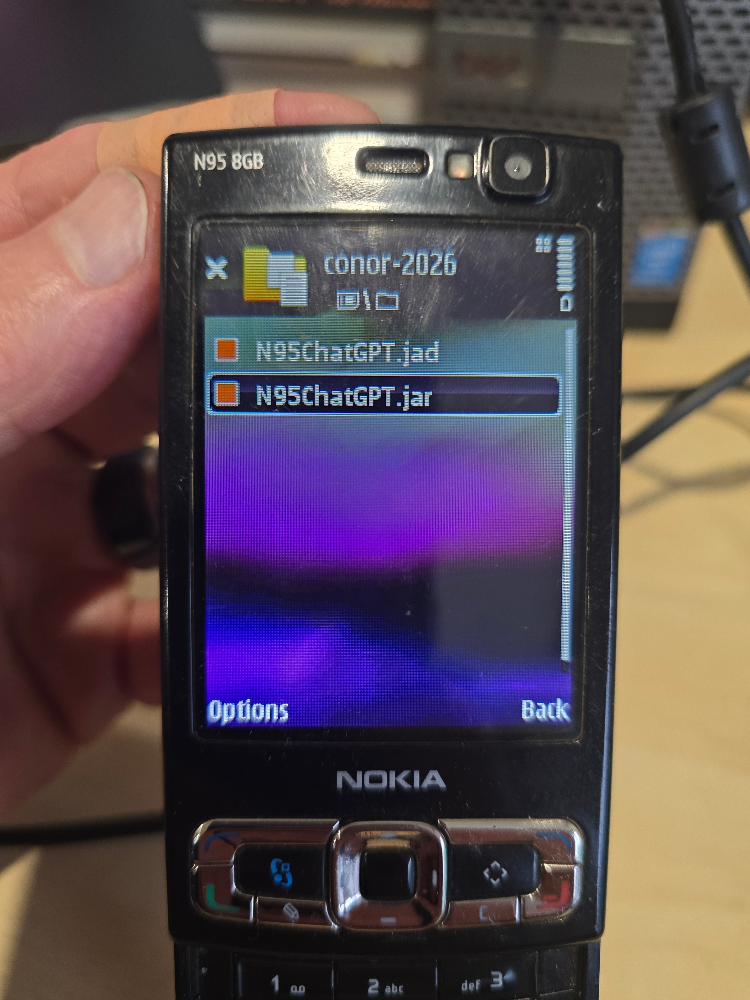
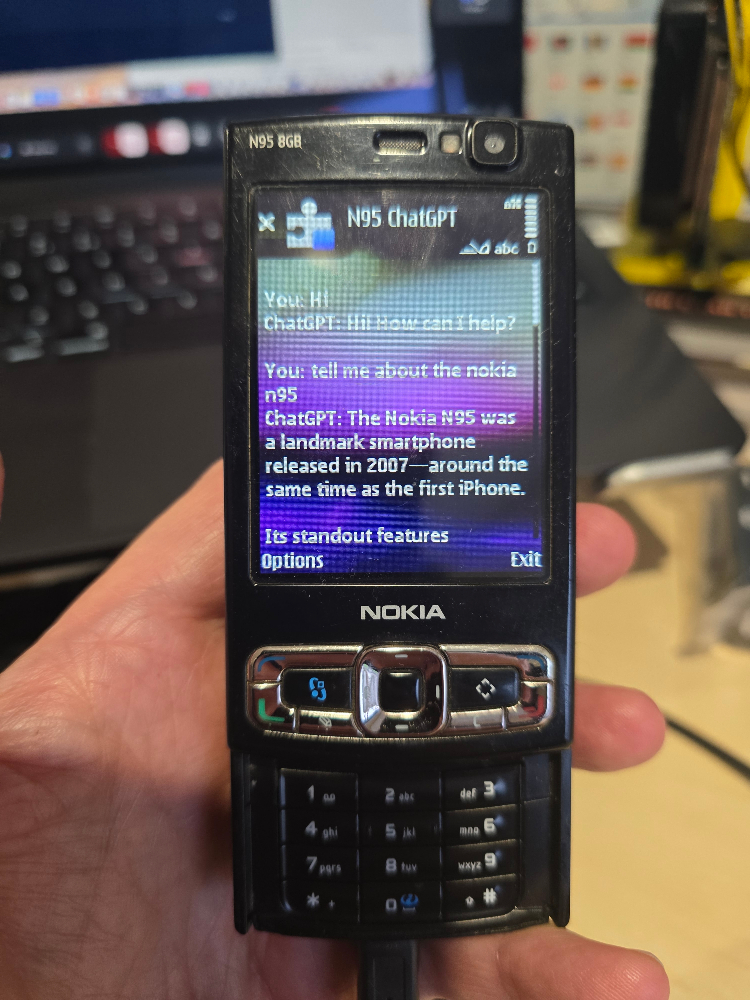
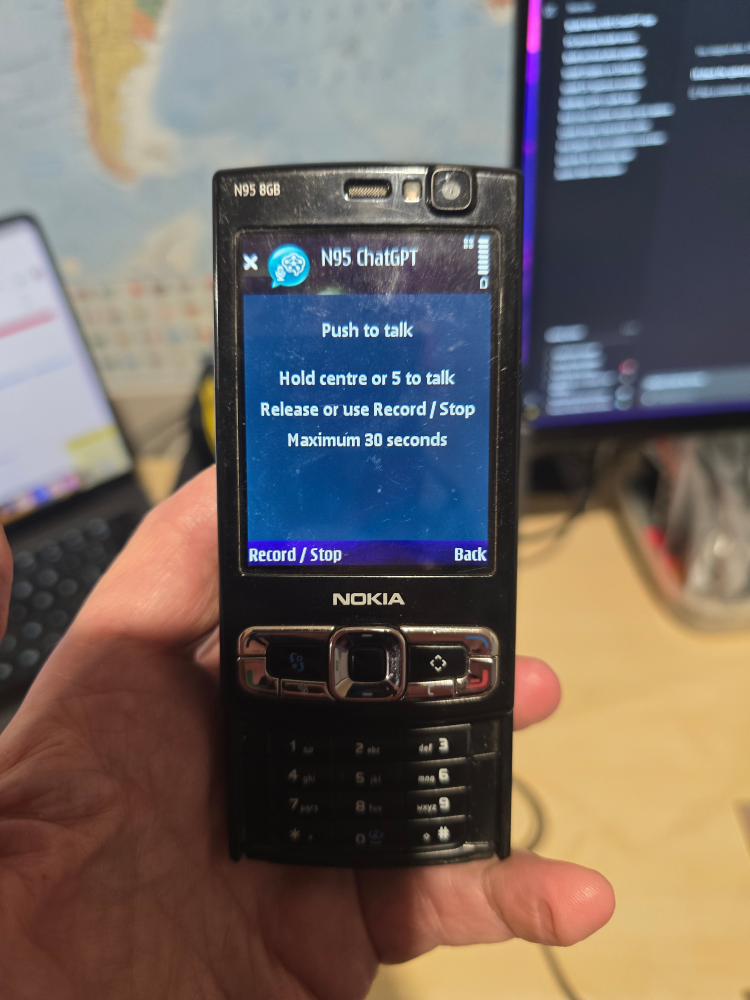
In less than an hour, I had voice working too. Mind completely blown. Honestly, as I said on the socials - this may be the greatest thing I have ever made.
It’s also very funny.
In case you are wondering, of course there is a proxy running on a computer - the N95 doesn’t have the certs or the security capability to access ChatGPT directly.
But it did remind me about a chat I had with a consultant many years ago as Nokia was fading into irrelevance and they had created the Symbian Foundation. He told me Symbian was Open Source. I asked if I could download it, compile it and run it on my N95-8GB. Of course not. But why not now? Update it to have those Certs and the right level of SSL? How long would it take Codex on Extra-High? An hour or two?
If you have an N95/N95-8GB, get it out of the attic and give this a go. It will make you smile.
The rest of this post was written by ChatGPT and explains all the technical details if you are interested. I have also put all the code/scripts/instructions on GitHub here
ChatGPT’s technical description
The result is a working Java ME application on a Nokia N95 8GB that can exchange text messages and have two-way voice conversations with OpenAI models. Hold a button, speak, release it, and wait for a spoken answer. The recognized words and answer also appear on the screen. Text and voice share a conversation, so a spoken follow-up can refer to an earlier typed message.
A small Python service on a Linux computer makes that possible. The phone talks HTTP over Wi-Fi to the service, which handles current HTTPS connections and the OpenAI API credentials. This also gives us somewhere to convert audio formats and adapt the API responses for a small screen.
That architecture avoids making modern TLS support a prerequisite for the handset experiment. We did not establish whether a patched N95 could connect directly to today’s OpenAI endpoints. Updating a certificate store alone would leave protocol and cipher compatibility to investigate. The LAN bridge let us test the application’s actual purpose immediately.
The first milestone was deliberately small. A MIDlet presented a text field, a Send command and a conversation view. It sent a UTF-8 HTTP POST to the bridge and received plain text back. The bridge used OpenAI’s Responses API and returned the response ID in an HTTP header. The phone sent that ID with the next message, and the bridge supplied it as previous_response_id to maintain context.
The phone application targets MIDP 2.0 and CLDC 1.0. It uses the standard Java ME user-interface controls for text entry, so the phone supplies the familiar keypad editing behaviour. Settings live in the Record Management System, Java ME’s persistent record store. Conversation text and the current response ID stay in memory. Starting a new conversation clears both locally.
Building it on Linux required an older Java toolchain. The project uses JDK 8 to compile class files suitable for the handset, then ProGuard’s microedition mode for preverification and packaging. A pinned Java ME template supplies the API libraries used at compile time. The build produces a JAR and a JAD descriptor containing the JAR’s size and installation metadata. The dependencies are downloaded into a project-local directory, and the SDK binaries are excluded from the repository.
Installation uses a mini-USB data cable. With the N95 in Data transfer mode, the JAR and JAD are copied to its mass storage. After safely disconnecting USB, the phone’s File manager opens the JAR and starts installation. All conversation traffic subsequently goes over Wi-Fi.
Once text worked, voice input used the Mobile Media API, JSR-135. A capture player opens capture://audio, and a RecordControl writes the recording to a bounded in-memory stream. The app limits a recording to 30 seconds and two MiB. It closes the capture player when the recording finishes.
Push-to-talk required a dedicated Canvas because Java ME’s high-level Form does not provide the same direct key-press and key-release handling. On the Voice screen, the centre navigation button or 5 starts recording, and releasing the button finishes it. A Record / Stop command provides a toggle alternative.
The first hardware test exposed a lifecycle bug. The microphone permission dialog could hide the Canvas, and our hide handler interpreted that as a reason to cancel recording. Approving the prompt therefore left the application apparently stuck opening the microphone. The fix distinguished microphone initialization from active recording and preserved the current screen across application resume. It also handled a permission dialog consuming the original key release by allowing the recording to finish through the Stop command.
The repeated permission prompts were then resolved through the handset’s multimedia permission setting in Application manager. That was a significant improvement to the experience. The options available to another owner can depend on firmware and application trust, so the README explains what to check.
The bridge receives the captured audio and uses FFmpeg to convert it to mono 16 kHz WAV. This lets the phone use its recording format while giving the transcription endpoint a predictable input. The conversion path handles formats such as AMR, although the working handset recording’s exact encoding was not separately logged and verified.
The initial voice implementation inserted the transcription into the text box for manual review. That proved the microphone and transcription path, but added an unnecessary interaction to every spoken turn. The next version automatically chained the three operations. It transcribes the clip, sends the recognized text to the conversation model, and requests an MP3 rendering of the answer from OpenAI’s speech endpoint.
The phone displays the answer before speech preparation completes. It then downloads the MP3 and plays it through a Java ME media player. If synthesis or playback fails, the text answer remains available. A Stop speech command closes playback, and starting another voice turn stops the previous reply. The voice is AI-generated, and the speech model and voice are configurable in the bridge’s .env file.
This is turn-based voice. Each stage finishes before the next starts, and the complete MP3 is downloaded before playback. A Realtime-based implementation would be a further project involving a persistent upstream session, audio framing, buffering and interruption behaviour. The current implementation already provides the essential interaction on the physical phone.
Testing covered several different layers. The build verifies the Java ME class files. Python integration tests send real local HTTP requests through the bridge and use FFmpeg for audio conversion, with simulated OpenAI responses. A live speech-generation request produced a valid MP3. Most importantly, the owner tested text, recording, transcription and spoken replies on the actual N95 8GB. macOS instructions are included as an untested route using a suitable JDK 8, Python and FFmpeg.
There are practical boundaries to publishing it. The original development token and address were removed from the application’s defaults, and the JAR was rebuilt. Real configuration stays in a Git-ignored .env; the repository supplies .env.example. Audio and text travel in plain HTTP between the phone and the bridge, so the intended deployment is a trusted LAN. The bridge sends the relevant content to OpenAI over HTTPS. Responses are stored for conversation continuation, and clearing the local chat does not delete those stored responses. API stages incur separate usage charges.
A battery-powered ESP32 companion remains an interesting follow-on experiment. It could potentially provide the phone-facing HTTP service and make modern HTTPS requests upstream. It would need an internet connection, and the Linux bridge’s Python and FFmpeg implementation would need replacing with firmware suited to the device. That work, including battery measurements and a case design, has not been implemented here.
[Add the repository link after publication, handset photos, a short demonstration video, and your personal closing thoughts.]